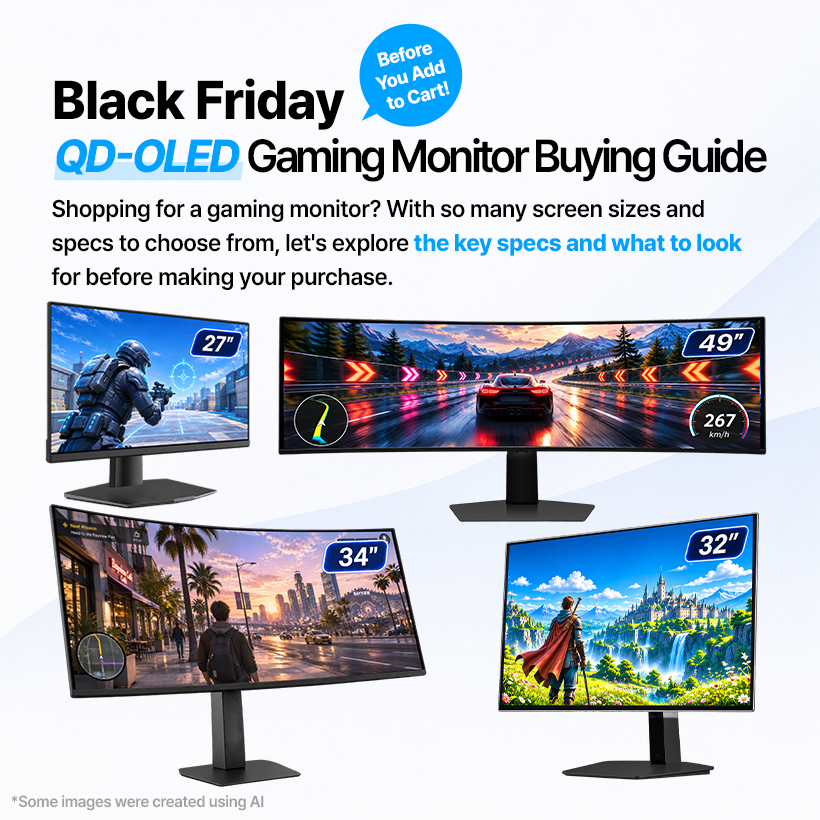
Before You Add to Cart! Black Friday QD-OLED Gaming Monitor Buying Guide  Shopping for a gaming monitor? With so many screen sizes and specs to choose from, let's explore the key for before making your purchase.
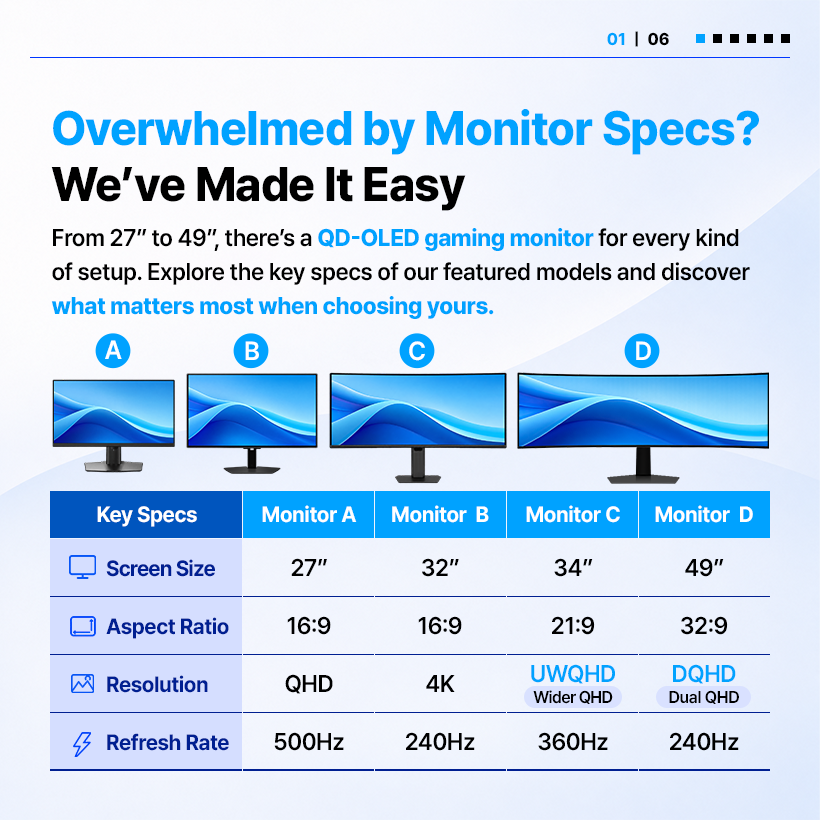
Overwhelmed by Monitor Specs? We've Made It Easy  From 27" to 49", there's a QD-OLED gaming monitor for every kind of setup. Explore the key specs of our featured models and discover what matters most when choosing yours. A  B  c  D  Key Specs  Monitor A  Monitor B  Monitor C  Monitor D  Screen Size  27"  32"  34"  49"  Aspect Ratio  16:9  16:9  21:9  32:9  Resolution  QHD  4K  UWQHD  DQHD  Wider QHD  Dual QHD  Refresh Rate  500Hz  240Hz  360Hz  240Hz
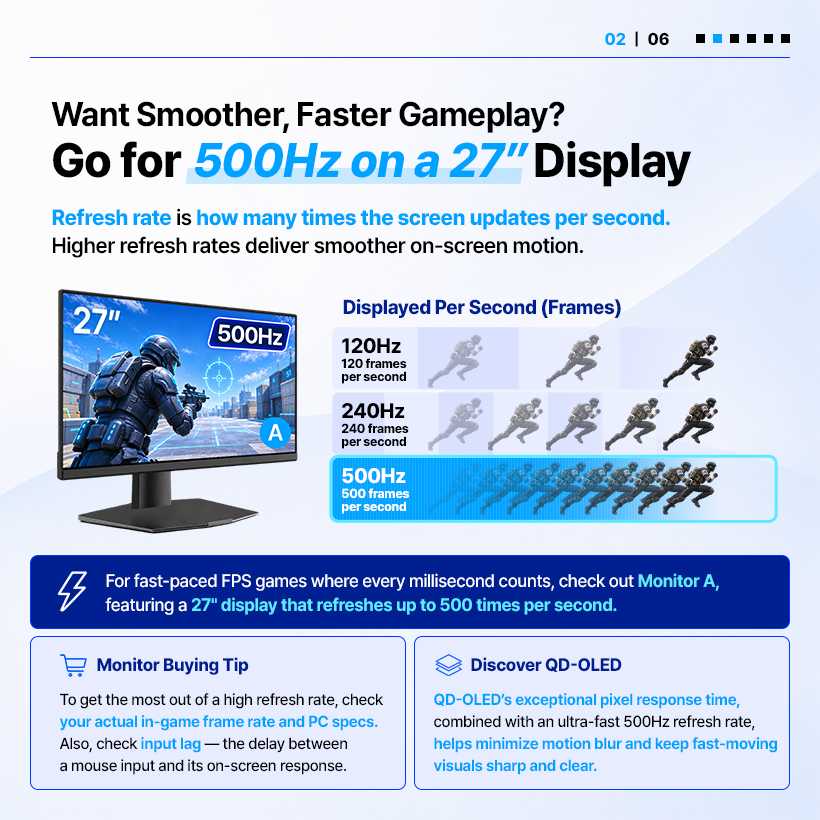
Want Smoother, Faster Gameplay? Go for 500Hz on a 27"Display  Refresh rate is how many times the screen updates per second. Higher refresh rates deliver smoother on-screen motion.  27"  Displayed Per Second (Frames)  500Hz  120Hz 120 frames per second 240Hz  A  240 frames per second 500Hz 500 frames per second  For fast-paced FPS games where every millisecond counts, check out Monitor A, featuring a 27" display that refreshes up to 500 times per second.  Monitor Buying Tip  Discover QD-OLED  To get the most out of a high refresh rate, check  QD-OLED's exceptional pixel response time,  your actual in-game frame rate and PC specs.  combined with an ultra-fast 500Hz refresh rate,  Also, check input lag - the delay between  helps minimize motion blur and  a mouse input and its on-screen response.  visuals sharp and clear.
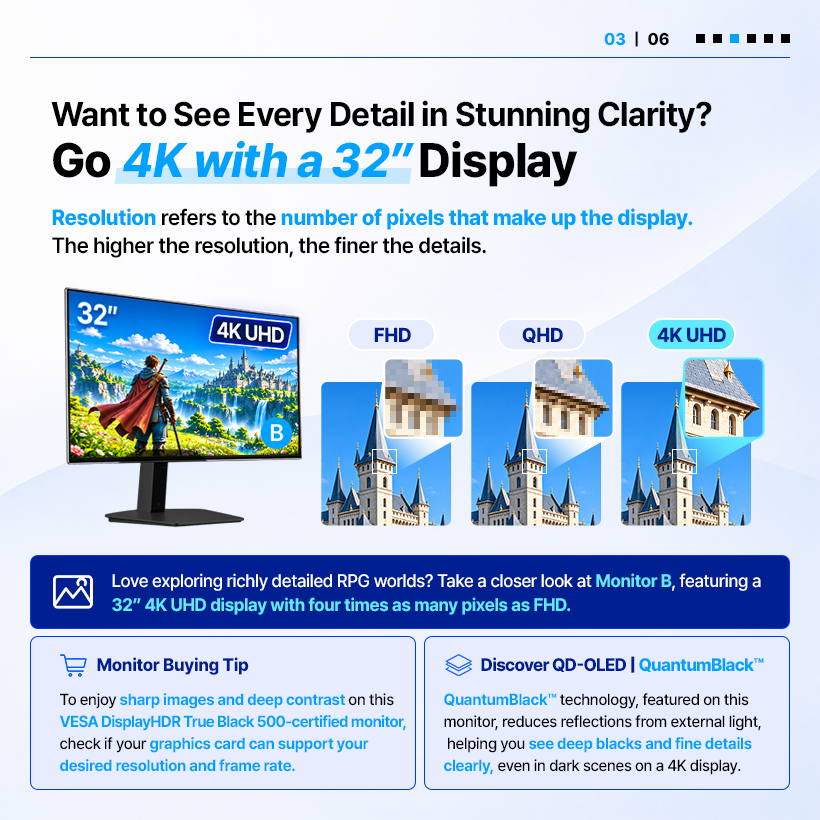
Want to See Every Detail in Stunning Clarity? Go 4K with a 32"Display  Resolution refers to the number of pixels that make up the display. The higher the resolution, the finer the details.  32"  4K UHD  FHD  QHD  4K UHD  B  Love exploring richly detailed RPG worlds? Take a closer look at Monitor B, featuring a 32" 4K UHD display with four times as many pixels as FHD.  Monitor Buying Tip  Discover QD-OLED | QuantumBlack™  To enjoy sharp images and deep contrast on this  QuantumBlack™ technology, featured on this  VESA DisplayHDR True Black 500-certified monitor,  monitor, reduces reflections from external light,  check if your graphics card can support your  helping you see deep blacks and fine details  desired resolution and frame rate.  clearly, even in dark scenes on a 4K display.
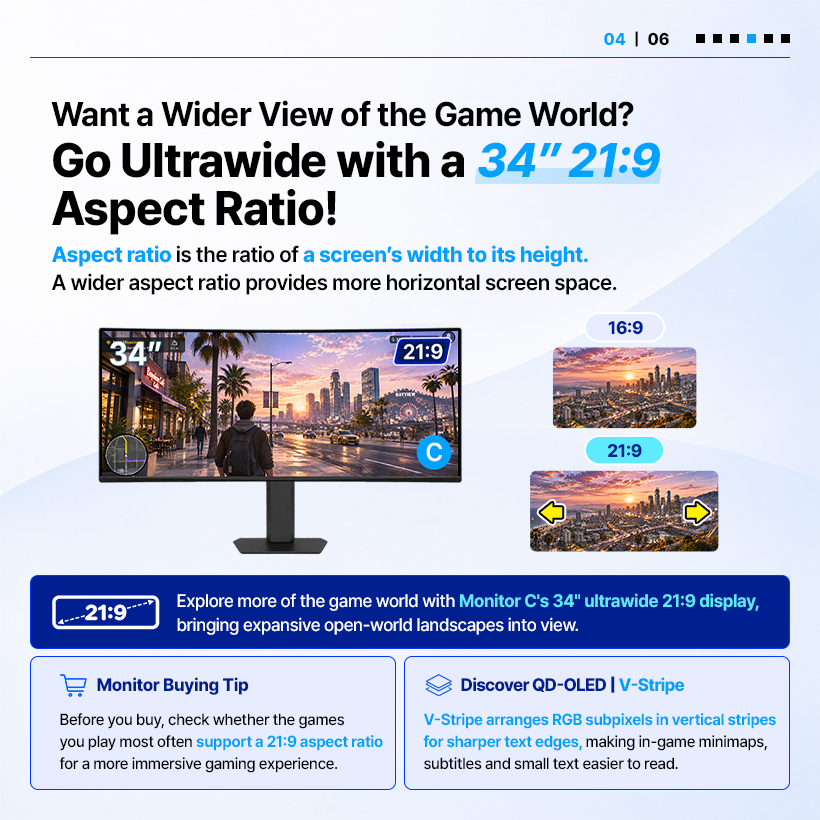
Want a Wider View of the Game World? Go Ultrawide with a 34" 21:9 Aspect Ratio!  Aspect ratio is the ratio of a screen's width to its height. A wider aspect ratio provides more horizontal screen space.  34  16:9  21:9  C  21:9  -21:9 -  Explore more of the game world with Monitor C's 34" ultrawide 21:9 display, bringing expansive open-world landscapes into view.  Monitor Buying Tip  Discover QD-OLED | V-Stripe  Before you buy, check whether the games  V-Stripe arranges RGB subpixels in vertical stripes  you play most often support a 21:9 aspect ratio  for sharper text edges, making in-game minimaps,  for a more immersive gaming experience.  subtitles and small text easier to read.
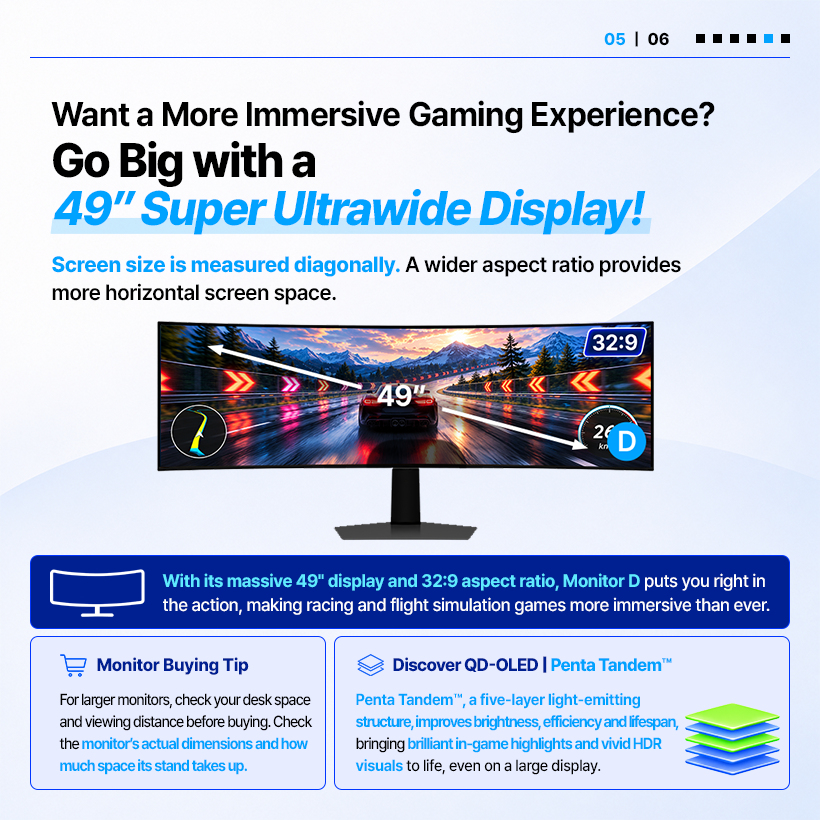
Want a More Immersive Gaming Experience? Go Big with a 49" Super Ultrawide Display!  Screen size is measured diagonally. A wider aspect ratio provides more horizontal screen space.  32:9  '49'  2€  With its massive 49" display and 32:9 aspect ratio, Monitor D puts you right in the action, making racing and flight simulation games more immersive than ever.  Monitor Buying Tip  Discover QD-OLED | Penta Tandem™  For larger monitors, check your desk space  Penta Tandem1, a five-layer light-emitting  and viewing distance before buying. Check  structure, improves brightness, efficiency and lifespan,  the monitor's actual dimensions and how  bringing brilliant in-game highlights and vivid HDR  much space its stand takes up.  visuals to life, even on a large display.
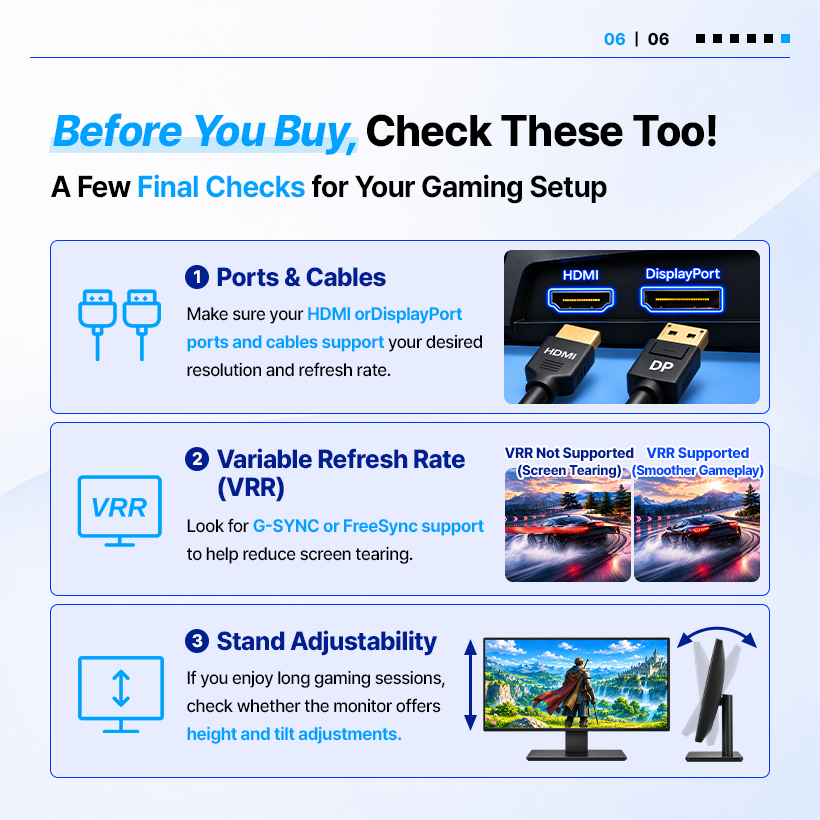
Before You Buy, Check These Too!  A Few Final Checks for Your Gaming Setup  1 Ports & Cables  HDMI  DisplayPort  Make sure your HDMI orDisplayPort ports and cables support your desired  HDMI  resolution and refresh rate.  DP  2 Variable Refresh Rate  VRR Not Supported VRR Supported  (VRR)  (Screen Tearing) (Smoother Gameplay)  VRR  Look for G-SYNC or FreeSync support to help reduce screen tearing.  3 Stand Adjustability If you enjoy long gaming sessions, check whether the monitor offers height and tilt adjustments.
Smoother motion with higher refresh rates. Sharper details with higher resolution. Wider views and deeper immersion with the right aspect ratio and screen size. This Black Friday, take a closer look at the key specs, compare your options, and find the QD-OLED gaming monitor that's right for you!